On August 24 we released a new version of the plugin — 1.9.6. The main theme of this release is protecting your site from search engine bots and AI crawlers, which lately have been crawling filtered result pages en masse and putting unnecessary load on the server. Besides that, the update brings a new “What’s new” page right in the admin area and a few small interface improvements. Here is what’s inside.
1. The “Disable filter links for crawlers” option is now in the free version too
This option first appeared in version 1.9.3 as a PRO feature, and since then it has become clear that the problem affects everyone without exception: search engine bots and AI crawlers discover filter links and start walking through endless combinations of values, eating up hosting resources. So starting with 1.9.6, the option is also available in the free version of the plugin.
When it is enabled, filter links are rendered as <span> instead of <a>, so bots simply don’t see them, while everything keeps working as before for your visitors. In the PRO version, links to combinations that your SEO Rules make indexable keep the real <a> tag and remain discoverable for indexing.
On new installations the option is enabled by default. On existing sites you need to switch it on manually in Settings → General → Crawlers and bots.

2. The new “Block filter URLs in robots.txt” option
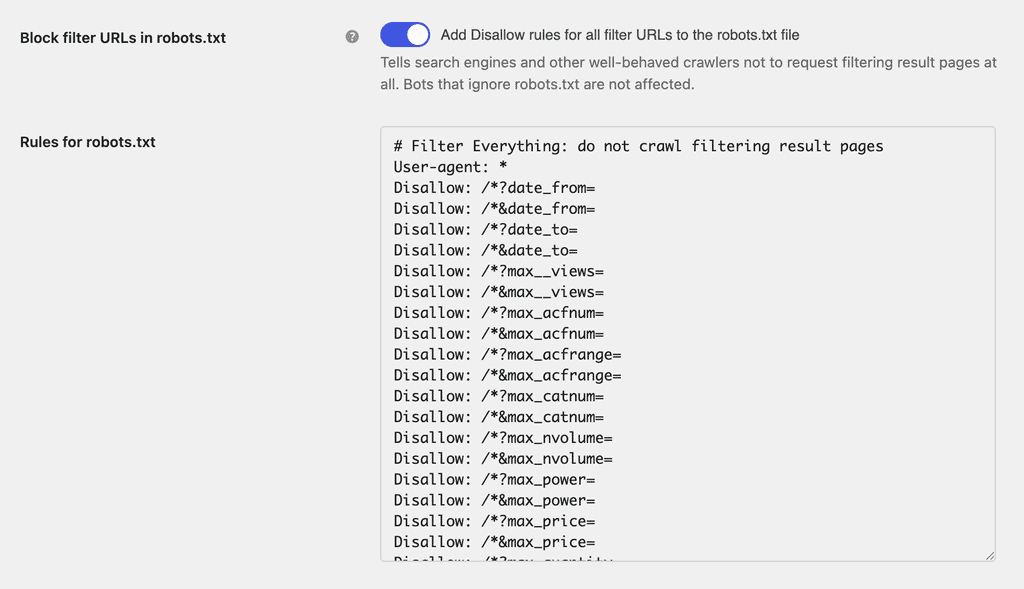
Hiding links from bots is only half the job. Bots already know many filtered result URLs and keep requesting them from memory, even when there are no more links to them on your pages. For such cases there is a second option: the plugin generates Disallow rules for its filter URLs and adds them to the site’s robots.txt automatically. After that, well-behaved crawlers stop requesting filtering result pages.
In the free version the rules cover every filter parameter. In the PRO version with pretty permalinks enabled the rules are more precise — they block only the URLs that are never indexable: several values of one filter, more filters than the Indexing Depth allows, numeric and date ranges. The pages your SEO Rules index stay crawlable.
If your site has a physical robots.txt file, the plugin cannot append the rules automatically, so it shows the generated lines right on the settings page — just copy them into the file.
In the free version, a one-time notice appears in the admin area after the update: it explains the new protections and links to the Crawlers and bots section, so you won’t miss these settings.

3. The “What’s new” page and small interface changes
The Filters menu has a new item — What’s new. It is a page with the release notes of the installed plugin version: what was added, what changed, what was fixed. After every update a badge appears on the menu item, so you can review the changes whenever it suits you instead of looking for them on the plugin website or in the readme.
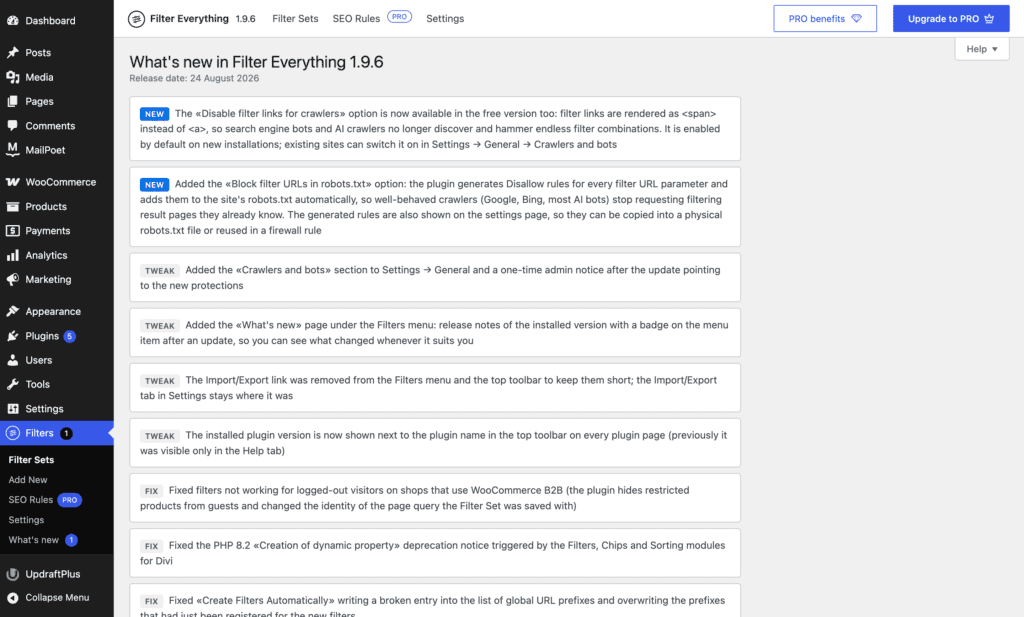
A couple of small improvements that make working with the plugin more convenient:
- The installed plugin version is now shown next to the plugin name in the top toolbar on every plugin page, in both the free and the PRO version. Previously PRO printed it next to the license status, and the free version only in the Help tab.
- The Import/Export link was removed from the Filters menu and the top toolbar to keep them short. The Import/Export tab in Settings stays where it was.

The update is already available in your WordPress dashboard — just click “Update” on the Plugins page. You can find the full list of changes in the changelog. And if you haven’t upgraded yet, you can get Filter Everything PRO here.