WooCommerce
Product Filter
Improve your store's navigation, boost conversions and sales with Filter Everything PRO — built specifically for filtering WooCommerce products.
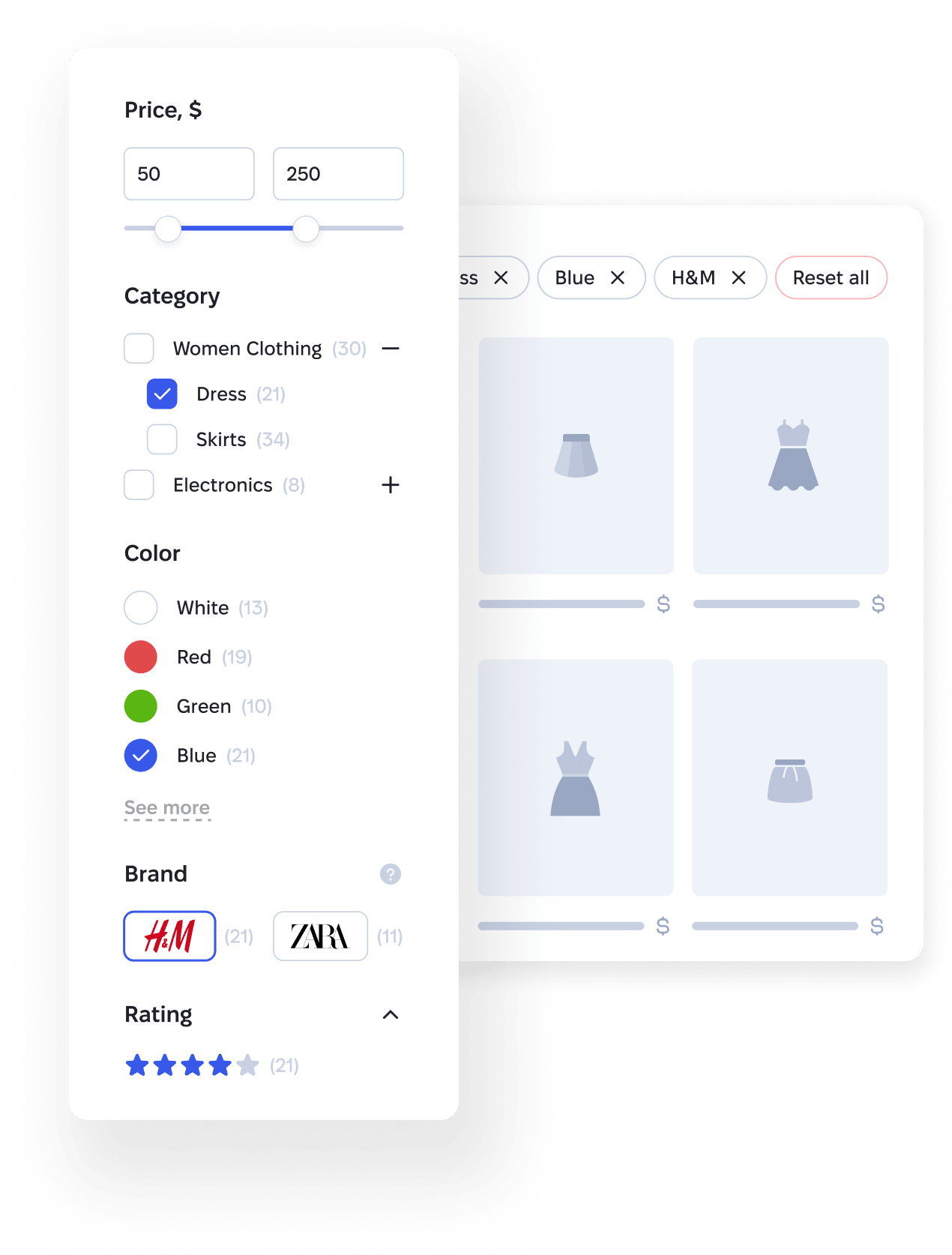
Everything you need for filtering in WooCommerce
Trusted by WordPress Professionals
Real reviews from independent experts
and verified customers.
“Best WooCommerce Filter Plugin? - Filter Everything”
I am crying my eyeballs out of happiness. I cannot thank you enough. I just spent the whole weekend trying to make one myself because all the others that were fitting my shop scenario were way too heavy and chunky. I needed a specific structure for my website along with efficiently displaying filters depending on which section of the shop the user is in, and GOD, your plugin has ALL the freaking options possible to make it possible for me. I love you, marry me! (Just kidding, but you get the idea). My Query Monitor is happy, I am happy, and when my shop will go online, my customers will be happy to enjoy a blazing fast filtering engine for my greeting cards and stationery! Keep the great work, and please please, keep it loading FAST. Take care.
Read more on CodeCanyon“How to Set Up WooCommerce Product Filters for Your Online Store”
Filter Everything Pro is magnificent plugin! I use it for filtering WordPress posts database of more than 150k posts, with more than 10 custom taxonomies and thousands of terms and it does a great job! Not to mention, Filter Everything Pro is working alongside the GeneratePress theme like a charm, where other filtering solutions just do not cut it. The plugin is very well documented and very flexible for customization. Last but not least, the assistance I received was absolutely exceeding any level of support I have received around here - both in terms of speed, thoroughness and accuracy! The support team was extremely helpful, taking the time to review my entire setup (which is quite complex) and to pinpoint an issue which was related to a third-party plugin and has nothing to do with Filter Everything Pro. Outstanding!!! I definitely recommend Filter Everything Pro to everyone who needs a good filtering solution for posts, custom post types or WooCommerce products.
Read more on CodeCanyon“Advanced Custom Fields ~ Powerful & Free Filtering Tutorial”
There are many reason to give this plugin a 5-star rating! I picked Customer Support because it's VERY important. Functionality is easier to spot before purchase. The support for this plugin is beyond what you would expect, so i can recommend Filter Everything both as the best filter plugin that comes along with a matching support. Thanks guys!
Read more on CodeCanyonIf your store visitors can't find what they're looking for within a few seconds, they lose patience — and leave to search on your competitors' sites.
Grow sales with filtering that delivers results
Shoppers only ever see filter options that lead to real products. Filter Everything PRO is built specifically for WooCommerce, so variations, stock and attributes are read the way WooCommerce actually stores them.
- 01Smart variation filtering
- 02Accurate out-of-stock products filtering
- 03Filtering by any WooCommerce attribute
No add-ons to buy — it's all one plugin.
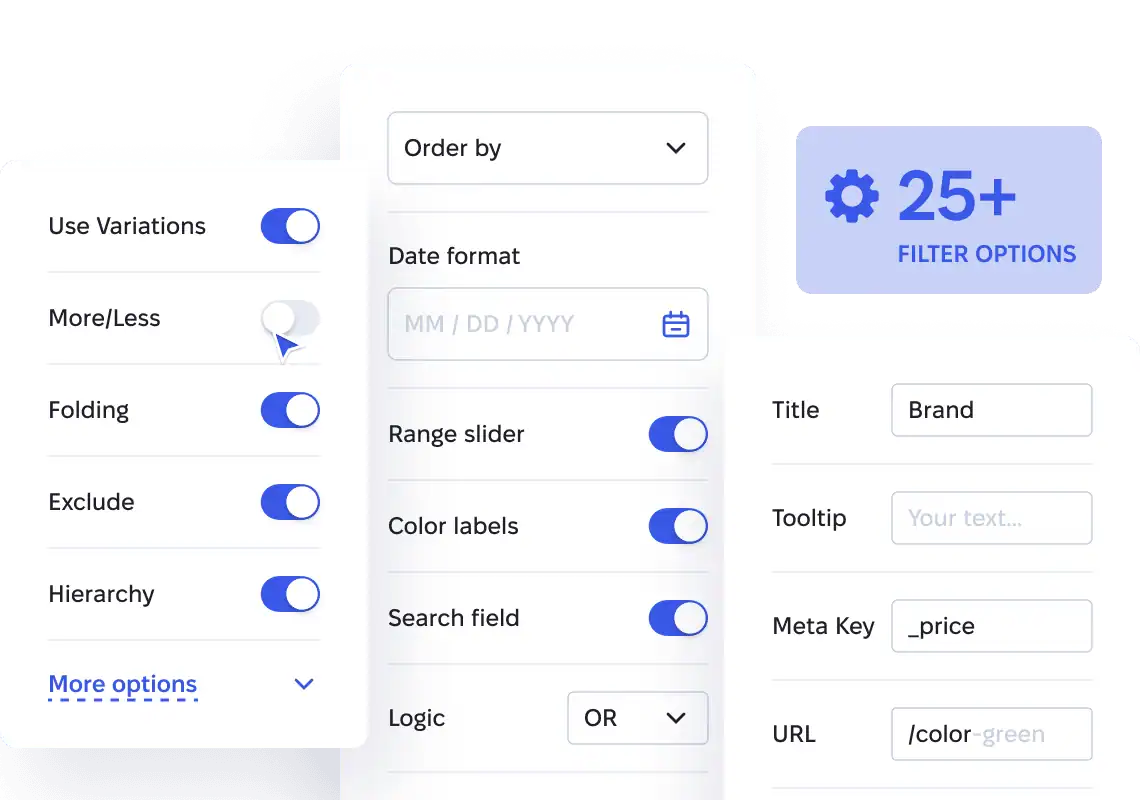
Get all the options for filtering WooCommerce products
25+ built-in filter options to fine-tune filtering exactly the way you need.
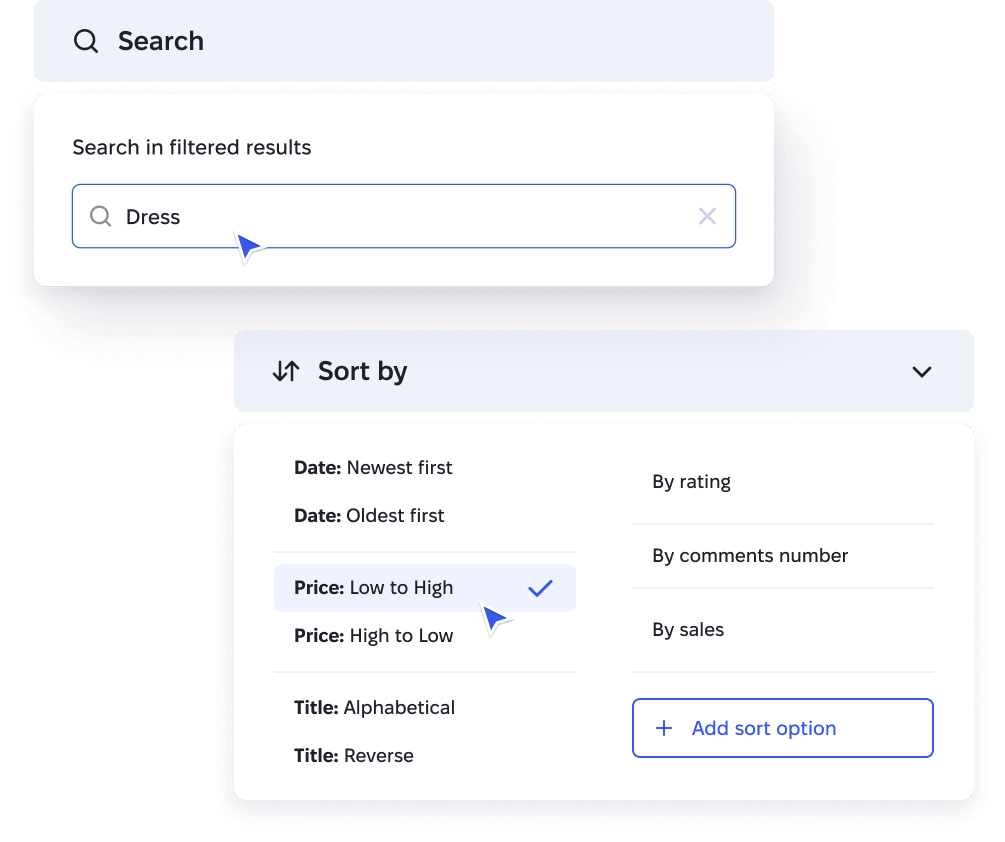
Let shoppers search and sort inside the results
Search within filtered products and sort them by price, date, rating, sales and more — with fully customizable sort options.
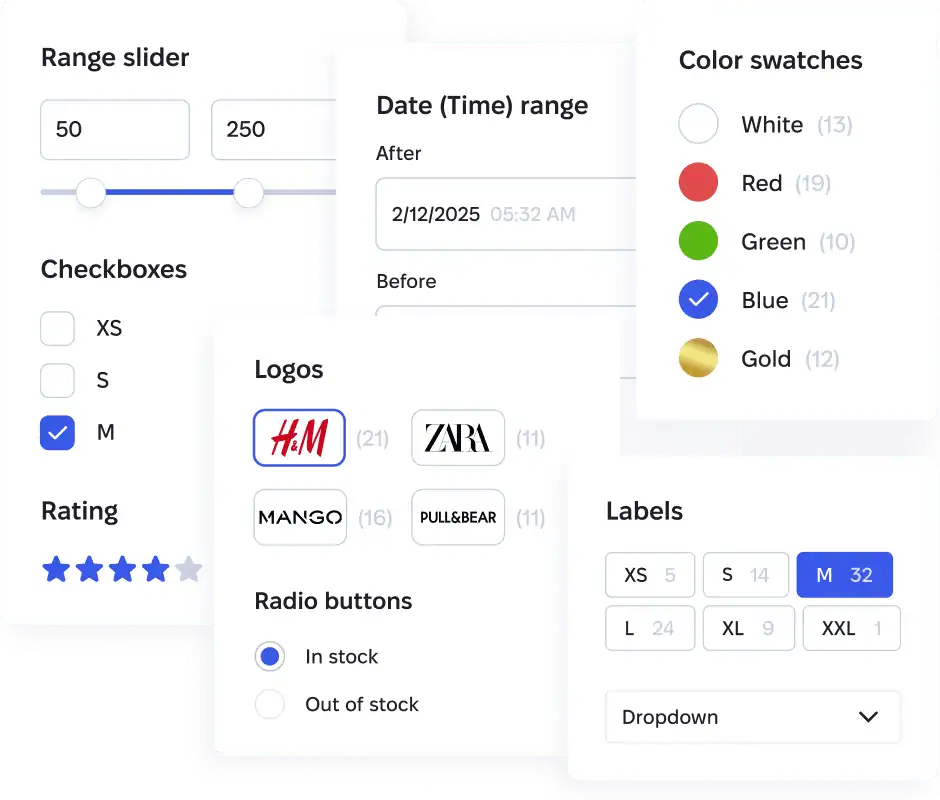
Choose the right filter view for any product detail
Checkboxes, radio buttons, labels, dropdowns, color swatches, brand logos, rating stars, numeric range sliders, range lists, and date ranges — whatever your products need, it's built in.
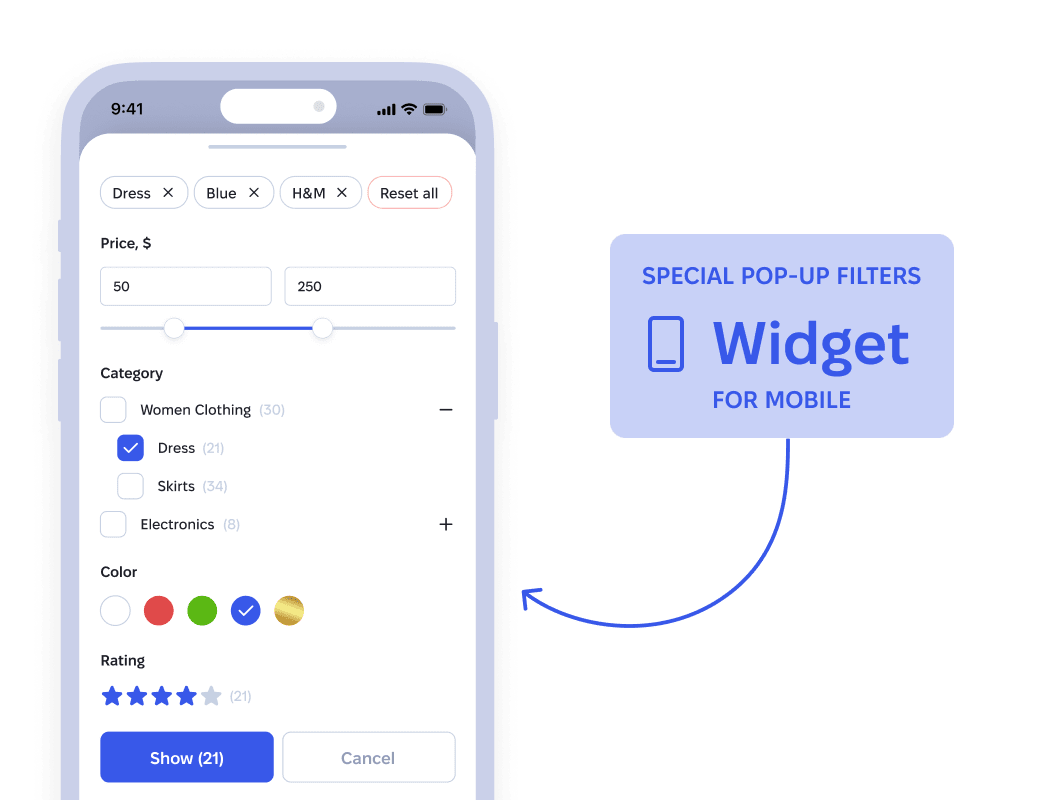
Give phone shoppers a filter made for their screen
Most of your visitors shop from a phone — and filters are ready for them out of the box, in a tap-friendly pop-up.
Compatible with your theme, page builder, and plugins


Filter Everything PRO follows WordPress standards and filters the query behind your product listing, not your theme's markup — so it works with virtually any theme and page builder.
See Filtering in Action
Turn filter pages into extra traffic from Google
Clean, SEO-Friendly Filter URLs
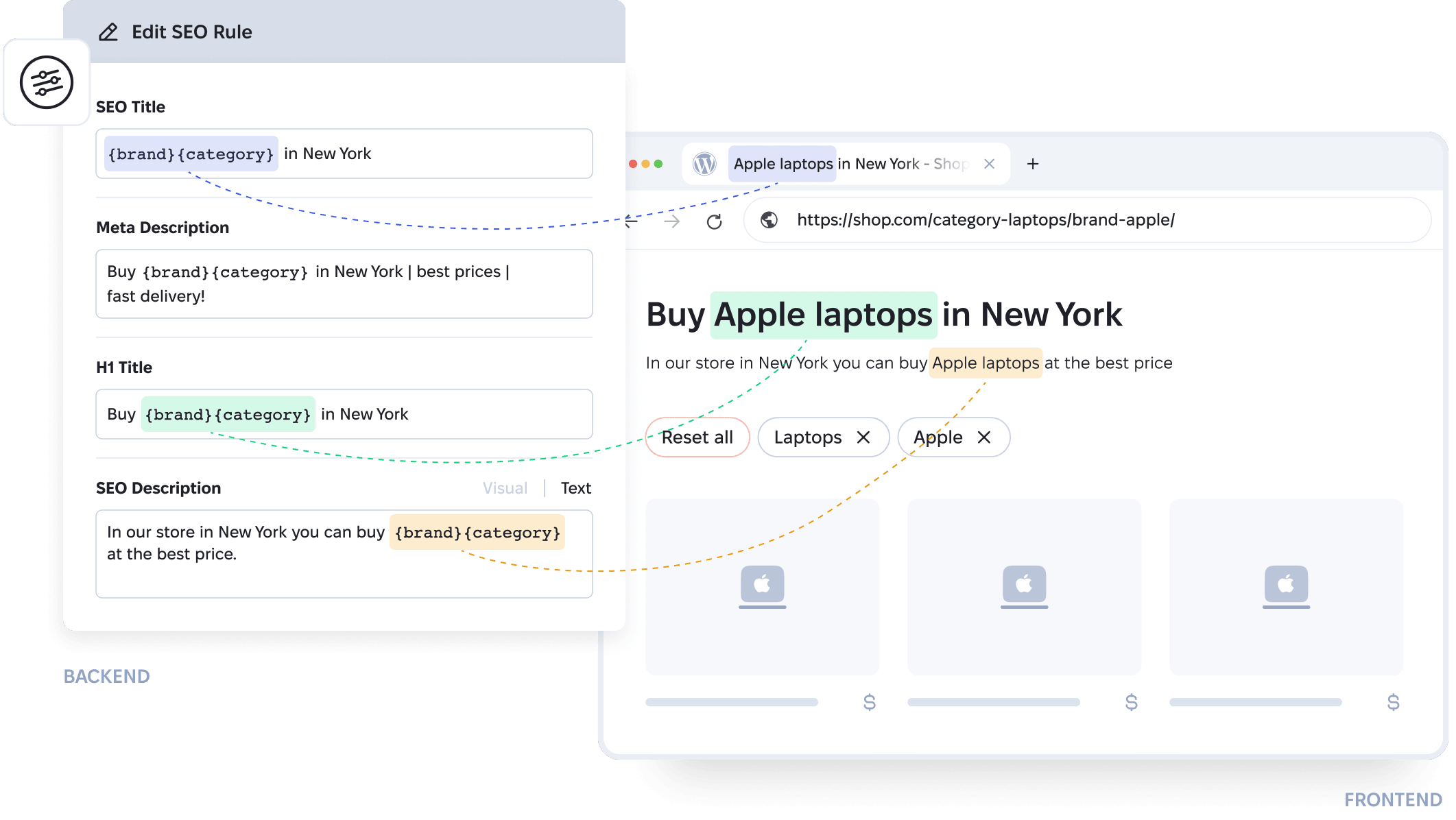
Most filter plugins generate query strings Google ignores. Filter Everything PRO builds clean URLs like /color-blue/brand-lacoste/ instead — links you can share, bookmark, and send to customers.

Custom SEO for Every Filter Combination
Create SEO Rules that automatically generate Title, Meta description and H1 for filter pages. Add them to an XML sitemap, and your catalog's long tail becomes landing pages that bring free organic traffic.
 See Pricing
Pricing for WooCommerce Product Filter
Pick the plan that's right for you
All plans include: 1-year updates & supportRenewal is optional?
For a single project
Personal
$69
1 year of support and updates
Just ~$2.88/month per site
1 website
+1 dev website
- Filter WooCommerce products and any other content?
- Filter by any criteria, including WooCommerce attributes?
- Unlimited Filter Sets?
- ⚡️ Instant filter counts (no page reload)?
- Accurate WooCommerce variation & out-of-stock filtering
- Auto-generated filters from your WooCommerce attributes
- Full SEO & indexing control for filtered pages?
- Search & AI bot protection for filtered pages?
- Clean filter URLs
- 10 filter display types?
- Built-in mobile filters widget
- Import & export filters, SEO Rules, and settings
- One-click Filter Set duplication
- Auto-hiding entire empty filters
- Step-by-step (hierarchical) filtering?
- Vertical & horizontal layouts
- AJAX filtering
- Priority support
For freelancers & studios
Freelancer
$199
1 year of support and updates
Just ~$0.83/month per site
10 websites
+10 dev websites
- Everything in Personal
- Use on client websites
- 10 production + 10 dev websites
- Individual license keys for client sites
For agencies running at scale
Agency
$299
1 year of support and updates
Pays off from the 11th website
∞ Unlimited websites
- Everything in Freelancer
- Unlimited production + dev websites
- Cheaper than two Freelancer plans ($398) — from the 11th site on
30-day money-back guarantee in accordance with our Refund Policy.
Frequently Asked Questions
Features & Compatibility
Will the plugin work with my page builder, theme, and plugins?
Yes. Filter Everything PRO is built to follow WordPress coding standards, so any theme, page builder, or plugin that respects those same standards works with it out of the box — which is what happens in the vast majority of cases.
In those rare cases where something doesn't work as expected, our support team will help you resolve the issue.
What if I can't configure the plugin, or it doesn't suit my needs?
Don't worry — we've put a lot of effort into making the setup process fast and simple. The plugin can even create filters automatically based on your most popular parameters. And if you still run into any difficulties, our support team is always happy to help you get everything configured.
In those rare cases where the plugin truly isn't the right fit for your project, you can request a refund within 30 days of purchase — see our Refund Policy for details.
Do I need to rebuild my site or product pages to make filtering work?
No, you don't. One of the key advantages of Filter Everything PRO is that it connects to your existing product lists, post listings, or catalogs and filters them as they are. Unlike some plugins that only work with their own product grids, Filter Everything works with what you already have.
Can I filter products by Custom Fields (ACF) or WooCommerce attributes?
- WooCommerce Attributes: You can easily set up filters for color, size, brand, or any other product attribute. The plugin also supports filtering by product variations (e.g., showing only products where a specific size is in stock).
- Custom Fields (Meta Data): Full support for fields created via ACF (Advanced Custom Fields), JetEngine, PODS, or those added manually. This allows you to filter by price, weight, rating, date, or any other technical parameter.
- Numerical Ranges: For fields like price or weight, you can use convenient sliders or "from-to" range inputs.
- Taxonomies: In addition to attributes, you can filter by any custom taxonomies, categories, and tags.
SEO & Performance
What are the SEO capabilities of the plugin?
The plugin can automatically generate SEO data for filter pages. When a visitor selects different filters, they land on new pages with URLs like /brand-apple/product-iphone/model-17-pro-max/.
Along with these URLs, the plugin automatically generates SEO data for each page — title, description, H1, and SEO text — all based on the filters the visitor selected (see a live example).
Since there can be a huge number of filters, and even more of their combinations, you automatically get a large number of pages with titles like "Apple iPhone 17 Pro Max Orange", "Apple iPhone Air White", "Apple MacBook Pro Space Black", and so on.
With SEO Rules — a feature exclusive to Filter Everything PRO — you define exactly which filters should generate automatic titles, descriptions, and H1s, and which shouldn't. Combined with automatic XML Sitemap generation, these pages get discovered and indexed by Google quickly.
As a result, you get additional visitors from Google for free — through search queries that are relevant to your site and not very competitive.
How does the plugin affect my website's loading speed?
- Query Optimization: The plugin uses highly efficient SQL queries to the database. Instead of overloading the server, it works only with the necessary indexes, ensuring instant results.
- Lightweight: We do not use heavy libraries or unnecessary code. The plugin's CSS and JS files are minimal in size and load only when actually needed.
- AJAX Advantages: Thanks to AJAX technology, when filter parameters are changed, only the part of the page with the products is updated. This is significantly faster than a full site reload, reduces server load, and saves user traffic.
- Caching Compatibility: The plugin works stably with popular caching plugins (WP Rocket, LiteSpeed Cache, W3 Total Cache), allowing the entire site to maintain high speeds.
Licensing & Support
How many websites can I use one license on?
- Testing and Staging Domains: You can use one license on your live site and simultaneously on one staging domain or local server (localhost). This allows you to configure filters without risk to the main site.
- License Transfer: You are not "tied" to one domain forever. If you change the site address or create a new version of the project, you can easily deactivate the license in the plugin settings and activate it on a different domain.
- Client Projects: If you are a developer creating sites for multiple clients, a separate license will be required for each individual commercial project.
Can I transfer my license from a staging/development domain to a live site?
- In the admin panel, navigate to Filters → Settings → License.
- Click the “Deactivate License” button.
If you encounter any issues during this process, please contact the support team for assistance.
Is technical support included with my purchase, and for how long?
After the support period expires, you can renew and extend it at any time to continue receiving assistance and guidance from the support team.
What is your refund policy?
- Refund Guarantee: We generally follow a standard refund period — 30 days from the date of purchase (or according to the rules of the platform where you purchased the license).
- Try Support First: 99% of issues that seem like a plugin "failure" are actually theme conflicts or configuration questions. Our support team helps resolve these moments very quickly, so we recommend contacting us first.
- Refund Conditions: We approve refunds if the plugin technically does not work on your site and our support cannot fix it. Please read more here.
- Process: If you purchased the plugin on CodeCanyon (Envato), the refund request is submitted through their official system. If the purchase was made through our website, you can find details on the refund process here.
Start filtering today.
Keep it only if it works.
One click turns your existing WooCommerce attributes into a working filter set. And you have 30 days to change your mind.
Get Filter Everything PRO