Filter Everything is built on the idea of three main elements (or three steps) that must be completed to start filtering products or any posts on the website:
- Create a Filter Set
- Create a Filter
- Add the Filters Widget / Shortcode to the page where the filter set is applied.
Filter Set
A Filter Set is a collection or group of filters.
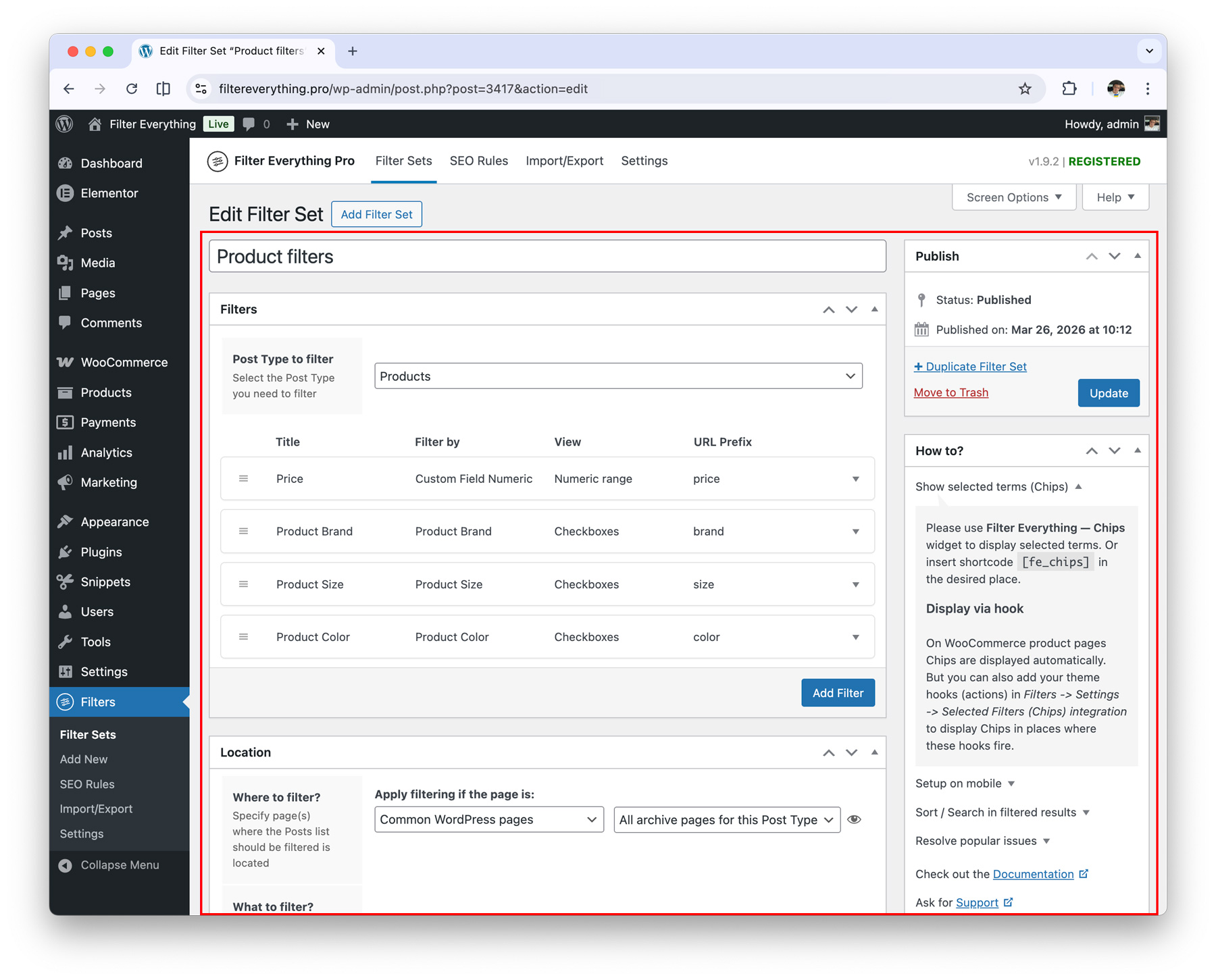
Within it, you are required to:
- Create the necessary filters.
- Select the page where the filtering will be applied.
- Select the list of posts to be filtered on the selected page.
Filter
A Filter is a filtering criterion, such as color, brand, or size, and can only be created in a Filter Set.
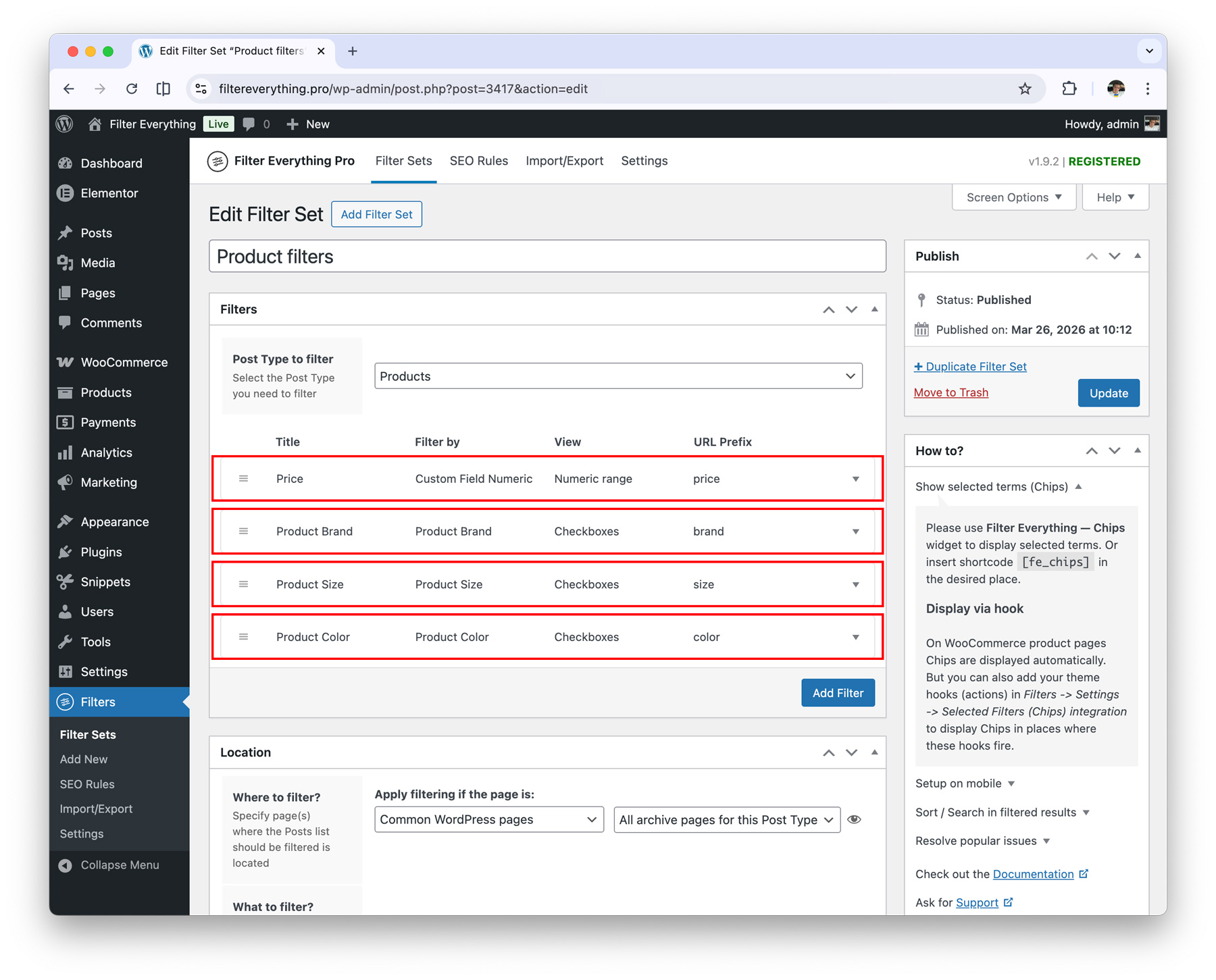
For example, if you have:
- a category, tag (any custom taxonomy);
- a custom field (numeric, date, checkbox, etc.);
- an attribute (color, size, type, etc.),
you can create a Filter based on any item, including but not limited to the examples listed, to specify which parameter it will work with.
Filters Widget / Shortcode
The Filter Widget / Shortcode is an element that displays the filters on the page specified in the Filter Set. By itself, it does not display any filters, think of it more as a placeholder that checks if there is any Filter Set placed on this page. If there is, it will display the filters. If not, it will be empty.
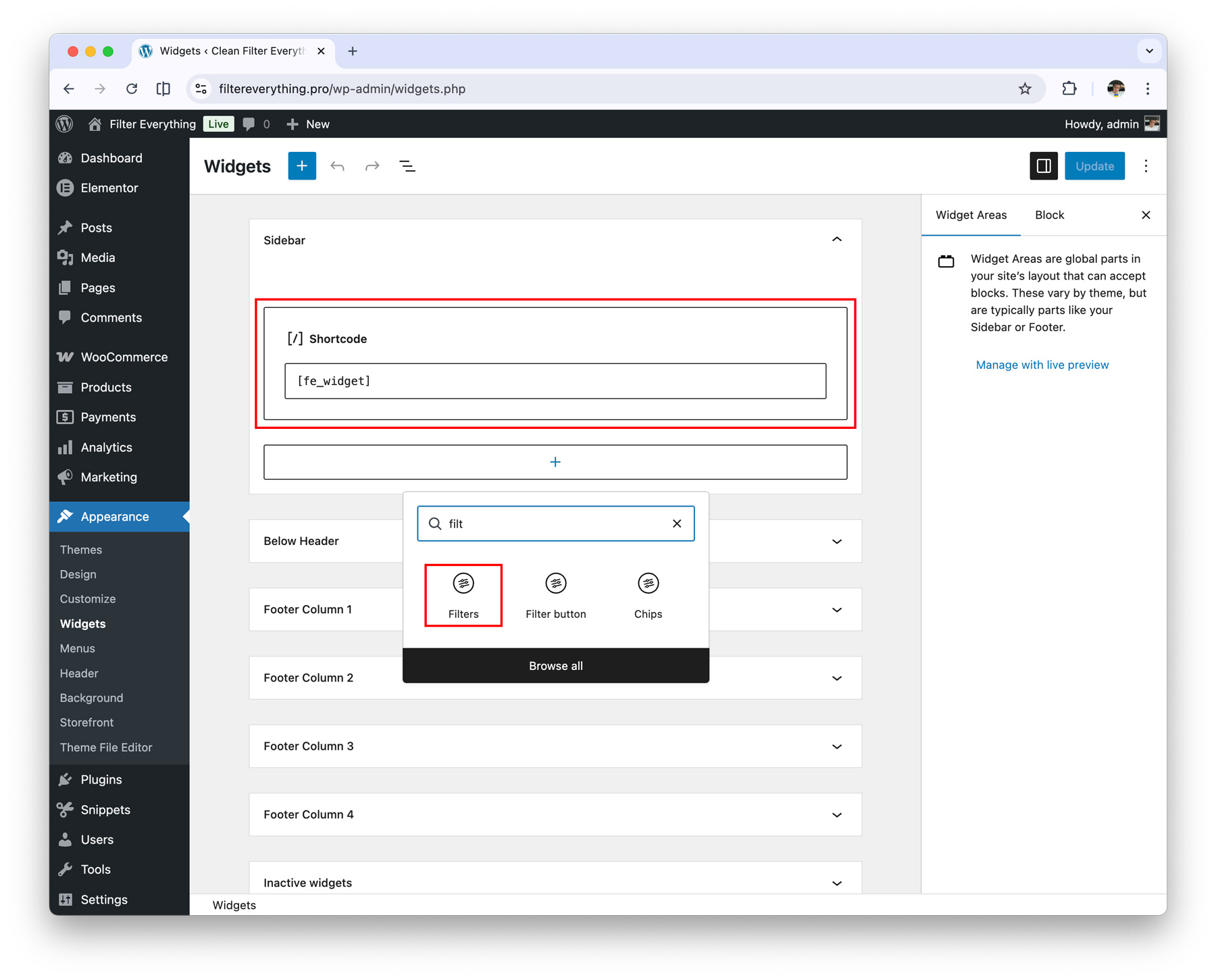
On the selected page in the Filter Set, you need to:
- either add the Filters Widget to the sidebar via widgets;
- or use the Shortcode if you need to place the filter anywhere on the page;
- you can also use integrated widgets in page builders such as Elementor, Divi, Bricks, and others.
Summary
You only need to complete three steps to make filters appear on your website:
- Create a Filter Set
- Add Filters
- Add the Filters Widget / Shortcode to the page specified in the Filter Set