A typical story of a site owner whose content keeps growing goes like this. At first everything is fine: you have twenty products, or thirty paintings, or a dozen courses. A visitor opens the page, scrolls, sees everything in a minute, and picks what they need.

Then the site grows. Two hundred products, five hundred, two thousand. And you notice that even you find the site awkward to use, although you know everything here and every item is familiar to you. In your analytics you may see that people come in, scroll, and… leave without buying or taking the action you wanted from them. The bounce rate goes up, pages per visit go down, and you realize that your current navigation satisfies no one: not you, and certainly not your visitors.
It is time to improve it.
But improve what exactly? What to choose? Broadly speaking, websites have three classic solutions to this problem: categories, search, and filters. Let’s look at how each of them works and when each one should be used.
Three tools, three different interaction scenarios
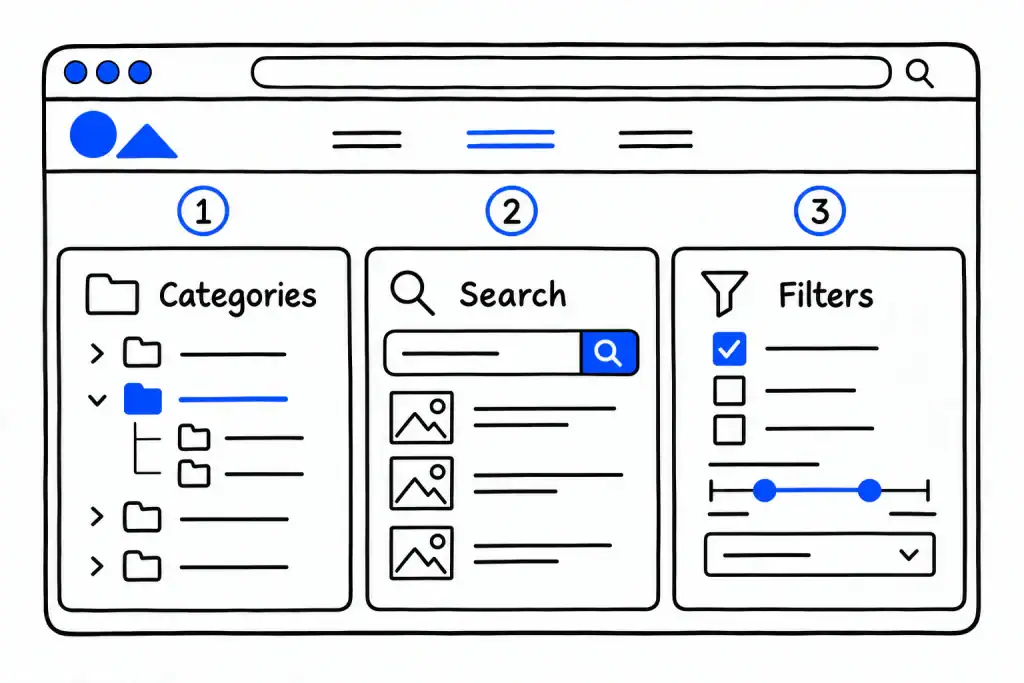
Categories and tags
Solve the problem up to a certain number of posts or products, and up to a certain number of criteria people search by. Say, you can split cooking recipes into categories by cuisine: Italian, Mexican, Chinese, Ukrainian. As tags you can use meal types: breakfasts, lunches, desserts, side dishes. But once you want to add ingredients, cooking time, calories, and protein content, categories and tags are no longer enough. And even if you add custom taxonomies, it will still be a rather clumsy system to use.
Search
Solves the problem partially, and largely regardless of how many recipes or products you have. But it is effective only in one scenario: when the visitor knows exactly what they are looking for. If they want a borscht recipe and type that word into the search box, they get exactly the borscht recipe. In the end, they may land on its page straight from a search engine.
But what if the visitor wants to cook something with meat and potatoes, yet has no idea what can be made from them at all?
Filters
This is where filters come into play: in three or four clicks they narrow the selection down to exactly those dishes that use meat and potatoes. There may be 20–30 of them, but choosing from a number that fits on one or two pages is something a person has the patience for, and they don’t abandon the task. In the professional literature this is called faceted navigation, and every attribute you can narrow the selection by is one facet.
The key difference between these tools is who does the most important part of the work of finding what’s needed. With categories, you decide in advance what the structure looks like and where everything is (which, by the way, doesn’t always match the visitor’s idea of it). With search, the person first has to know precisely the name of what they are looking for (and they won’t see anything they don’t already know exists). With filters, the person describes the need, and the site narrows down the selection. That lets them not only find what they need, but also discover something new that matches their criteria.
Why categories stop working
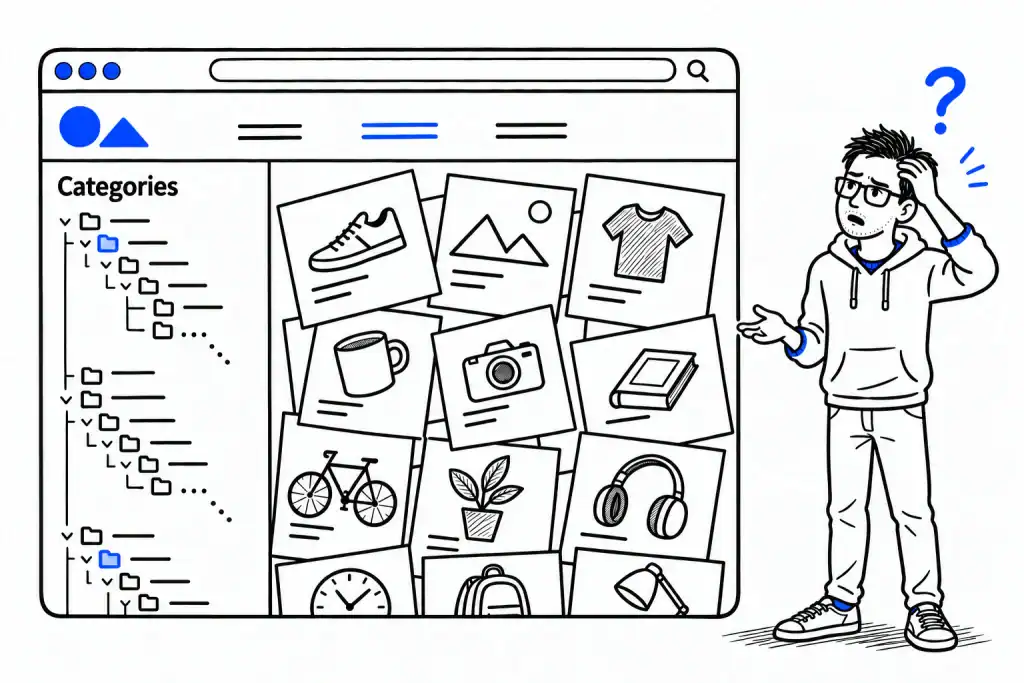
Categories work well as long as two conditions hold: each final category fits on one or two screens, roughly up to 50–100 items, and people choose mostly by a single attribute.
They break on combinatorics. Imagine a clothing store where shoppers choose by three attributes: brand, size, and color. Five brands, six sizes, eight colors. For everyone to reach their “Nike, 42, black” through categories, you would need 240 categories. Nobody does that, so you end up with something in between: categories by brand, and size and color the shopper has to spot by eye on a page with two hundred items.
A practical rule: as soon as your visitors have a second and a third attribute they actually choose by, categories stop being navigation and become merely a way to organize content.
When search is enough
Search solves a different problem and does it well in one case: when the person knows what they want and can name it. A spare-parts store with part numbers, a library with book titles, a document base. Here search is irreplaceable, and no filter will substitute for it.
Search’s weaknesses begin where words end. “Red dress under $50 in size 8” is something search doesn’t understand: it will look for those words in titles, and titles don’t contain them. It doesn’t know synonyms unless you added them, it stumbles on typos, and above all, it suggests nothing. An empty search box tells the person nothing about what you actually have.
So search is enough for small catalogs, up to 200–300 items with one or two attributes, and for any catalog where people arrive with a name in mind.
When you need filters
You need filters when two conditions hold at the same time: there are more items than is comfortable to scroll, usually from 100–200 up, and there are three or more attributes people choose by.
What filters do that the other two tools don’t:
- Combine attributes. “Brand + size + price + in stock” in four clicks instead of 240 categories.
- Show what exists. A list of filter values with counts next to them, “Red (18)”, is a catalog of possibilities in itself. The person sees the range before choosing anything.
- Prevent dead ends. Good filters hide or dim the values that would return nothing with the current selection.
- Work without words. No need to know the name, the spelling, or the site’s language.
- Give every combination its own address. The page “red dresses under $50” can exist as a separate page you can link to and a search engine can find. That’s a large topic of its own, but it is worth knowing that filters can be a source of traffic, not just a convenience.
The table: what to choose
| Situation | Categories | Search | Filters |
|---|---|---|---|
| Up to 50 items, one attribute | enough | not needed | overkill |
| 50–200 items, one or two attributes | yes | add it | optional |
| People arrive with a name or a part number | yes | essential | supporting |
| 200+ items, three or more attributes | only as a skeleton | supporting | essential |
| Items differ by parameters, not names: size, price, area, year | don’t work | doesn’t work | the only option |
| Thousands of items | skeleton | yes | essential, with attention to speed |
The thresholds are approximate. What matters more than the count is how people choose: by name or by attributes.
Four examples from different fields
A clothing store, 800 items. Categories by type: dresses, shirts, trousers. Each holds 100–200 items, and shoppers choose by size, color, price, and brand. This is the classic case for filters on category pages. Search is for those who know the model, and a simple one is enough.
A real estate agency, 300 listings. There are no “names” here at all. Nobody searches for an apartment by a word. People search by district, number of rooms, price, area, floor. Categories give you at most “for sale / for rent”. This is a pure case for filters, with ranges: price from–to, area from–to. Search is nearly useless here.
An art collection, 600 works. Two kinds of visitors. Some know the artist’s name and go to search. Others want “something from the 1920s, graphic works, under a certain price, available for sale”. For the second group, categories by artist don’t help, while filters by period, technique, price, and availability make the collection walkable. Here you need both.
A course catalog, 150 courses. Categories by topic work while each holds up to a couple of dozen courses. But people also choose by level, duration, format, price, and language. Five attributes across 150 items, and even a small catalog gains more from filters than from one more level of categories.
Note that three of the four examples are not shops. The large-catalog problem is the same for products, properties, artworks, and courses. Only the vocabulary differs.
How to combine them
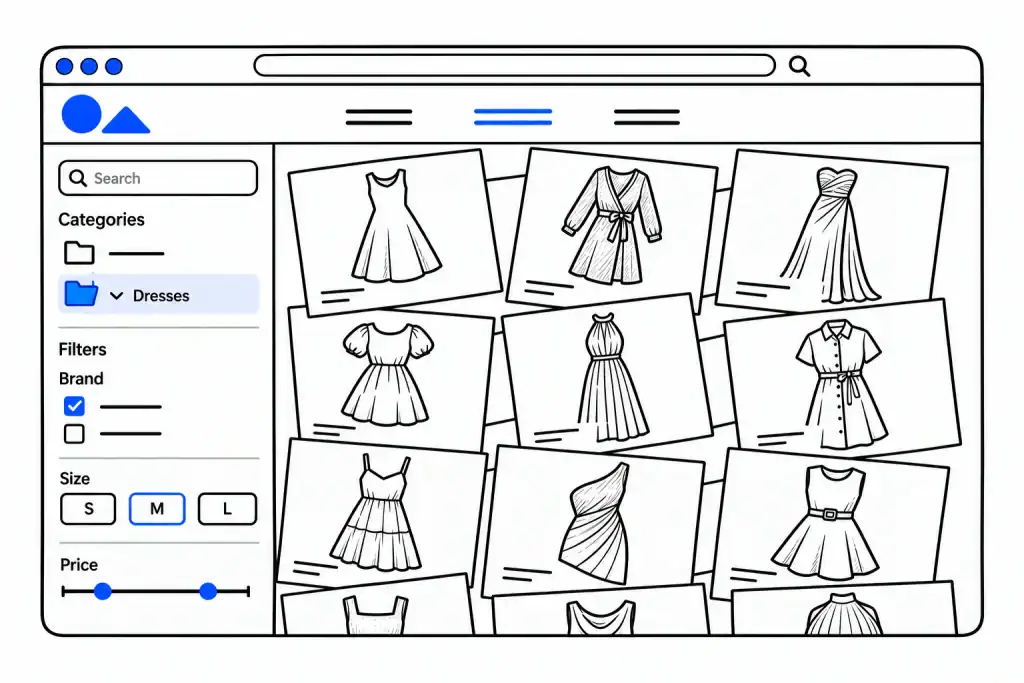
On large sites it is not “either/or” but an order:
- Categories set the skeleton and the first step. They decide which page a person lands on and hold the structure together for search engines.
- Filters work inside a category. The person enters “Dresses” and narrows by size and price without leaving the page.
- Search sits on top for those who know the word, and it works best when the search results page has filters too. The person searches for “sofa” and immediately narrows by width and price.
The rule for most catalogs from a few hundred items up: categories for structure, filters for choosing, search for people who know the name.
Signs your site has outgrown categories
- Final categories hold more than a hundred items, and you are wondering whether to split them further.
- Your analytics show people opening three to five category pages and leaving without acting.
- People write to ask “do you have this in another size?” when you do.
- You yourself can’t quickly find an item on your own site without the admin panel.
- Frequent on-site searches are not names but attributes: “red”, “under 50”, “two-bedroom”.
Three signs out of five mean it’s time to add filters.
Common mistakes with filters
Filters can be ruined too. The most common ways:
- A filter on an attribute that is filled in for only half the items. The person ticks a box, and what disappears is not what doesn’t match but what wasn’t filled in.
- Twenty filters where people choose by four. A long sidebar scares as much as a long list.
- Attributes with one or two values. A filter “Color: black (312), white (3)” helps no one.
- Filters without counts and without stock awareness. The person selects and gets an empty page.
- Filters that overload the site on large catalogs. From a few thousand items, speed becomes a requirement of its own.
So before adding filters, tidy the data: fill in the key attributes for all items, merge duplicates like “Red” and “red”, and keep the attributes people actually choose by.
Frequently asked questions
If people choose by one attribute, no: categories and a simple search will do. If by three or more, yes, even at a hundred.
No. Search works with words, filters with attributes. A smart search may parse “red dress under 50”, but that’s rare, and it still doesn’t show you what is in the range.
Yes, if there is a catalog of anything with attributes: properties, cars, courses, events, jobs, recipes, collections. The task is the same; only the word “product” changes.
As many as there are attributes people actually choose by. Usually three to six. The rest can go under “More filters”.
They can, if every useful combination has its own address, title, and description, while useless combinations are kept out of the index. That’s a separate topic, but it is one of the main reasons to add filters to WordPress sites with a large catalog.
What next
If you are on WordPress, the three options look like this in practice. Categories and tags are built in. Search is improved with dedicated plugins. Filters need either your theme’s capabilities, which are usually enough only for shops and only for basic attributes, or a dedicated plugin.
We make one of those plugins, Filter Everything. It filters any content type, not only WooCommerce products, works with categories, attributes, custom fields, and ranges, and gives filter pages their own addresses. The free version is in the WordPress plugin directory, and for most sites with a few hundred items it is enough to test everything above on your own catalog.